IntelliSense for Airframe
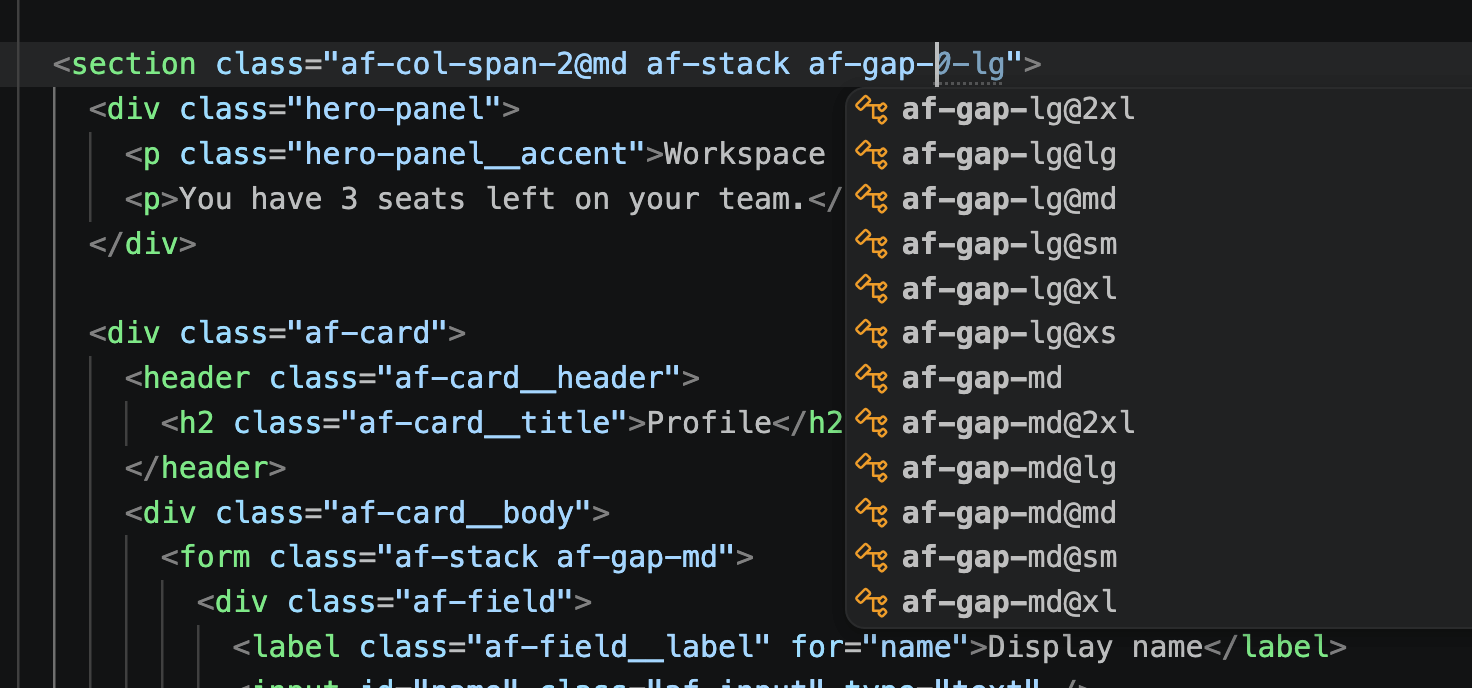
IntelliSense for Airframe adds autocomplete and hover docs for --af-* tokens and af-* classes. Same version as @airframeui/core.
Token names come from @airframeui/tokens/catalog.json. Classes come from @airframeui/core.
Installation
Section titled “Installation”VS Code: Install from the Visual StudioCode Marketplace →
For the extension to activate, open a supported file type (CSS, HTML, JS/TS, JSX/TSX, or Astro). Suggestions appear when you type Airframe prefixes such as --af-, .af-, or af- inside class / className.
Features
Section titled “Features”Autocomplete
Section titled “Autocomplete”Intelligent suggestions for:
- Design tokens —
--af-*andvar(--af-…) - Pattern and utility classes —
af-*(2,400+ including responsive variants) - Responsive suffixes — type
af-stack@for@xs/@sm/@md/@lg/@xl/@2xl - Modifiers —
af-is-outline,af-is-sm, and more
<button class="af-btn">Click me</button>

<div class="af-grid af-grid-2 af-grid-4@md">…</div>
.panel {
color: var(--af-color-primary);
padding: var(--af-space-4);
border-radius: var(--af-radius);
}
:root {
--af-choice-size: 1.5rem; /_ checkbox / radio / switch track _/
}Hover Preview
Section titled “Hover Preview”Hover any --af-* token or .af-* class to see values, category, and related modifiers — without leaving the editor.
Supported languages
Section titled “Supported languages”CSS · SCSS · Less · HTML · JavaScript / JSX · TypeScript / TSX · Astro
Recommended VS Code settings
Section titled “Recommended VS Code settings”editor.quickSuggestions
Section titled “editor.quickSuggestions”By default VS Code may not trigger completions inside string attributes (for example JSX className or HTML class). Turning string suggestions on improves the experience:
{
  "editor.quickSuggestions": {
    "strings": "on"
  }
}
Extension settings
Section titled “Extension settings”| Setting | Default | Description |
|---|---|---|
airframeui.enable | true | Enable or disable Airframe IntelliSense |
Troubleshooting
Section titled “Troubleshooting”If IntelliSense is not activating:
- Confirm Airframe IntelliSense is installed and enabled.
- Check the language mode in the status bar (e.g. HTML, CSS, Astro) — plain text will not activate completions.
- Ensure
airframeui.enableis not set tofalse. - For completions inside
class="…", enableeditor.quickSuggestions.strings(see above) or invoke manually withCtrl+Space/Cmd+Space. - Reload the window after installing or updating the extension.
Related
Section titled “Related”- Packages — npm packages and IntelliSense for Airframe
- MCP — coding agents:
npx -y @airframeui/mcp, then search patterns, validate markup, look up tokens - Installation — add
@airframeui/coreto your project - Tokens — design token reference